फ्री फायर निकनेम: Stylish Name Generator & Copy Paste Guide (2026)
Your फ्री फायर निकनेम isn’t just a label it’s your entire gaming identity. The moment you drop into Bermuda or Kalahari, your nickname is the first thing other players notice. A plain name like “Player4521” gets lost in the crowd, but a stylish फ्री फायर निकनेम makes you stand out instantly.
In this guide, we’ll walk you through how to build a stylish name, where to find the best symbols, and the common mistakes to avoid when copy-pasting.
What You’ll Find In This Guide
- How to create a stylish Free Fire nickname
- A list of the best symbols and unicode fonts
- Boy and girl style name ideas
- Common copy-paste mistakes to avoid
- Free tools you can use to generate names instantly
Why Your Nickname Matters
In-game, your name isn’t just an identity it shapes your reputation too. Players with clean, stylish names tend to get more squad invites, simply because their profile looks more professional. When your name shows up on the kill feed, a good one sticks in people’s minds.
Your name also reflects your playstyle. If you’re an aggressive player, something like “RUSHΣR” fits well. If you’re more tactical, “SHΛDOW” works better. In short, a nickname isn’t just about looks it’s a form of self-expression.
Essentials For A Stylish फ्री फायर निकनेम
Building a great nickname comes down to three things: symbols, unicode fonts, and a reliable generator tool.
Symbols Characters like ★, ꧁꧂, ツ, and 么 instantly make a name more eye-catching.
Unicode Fonts These work on every device and are fully supported in Free Fire, which makes them far more reliable than regular fancy fonts that might break.
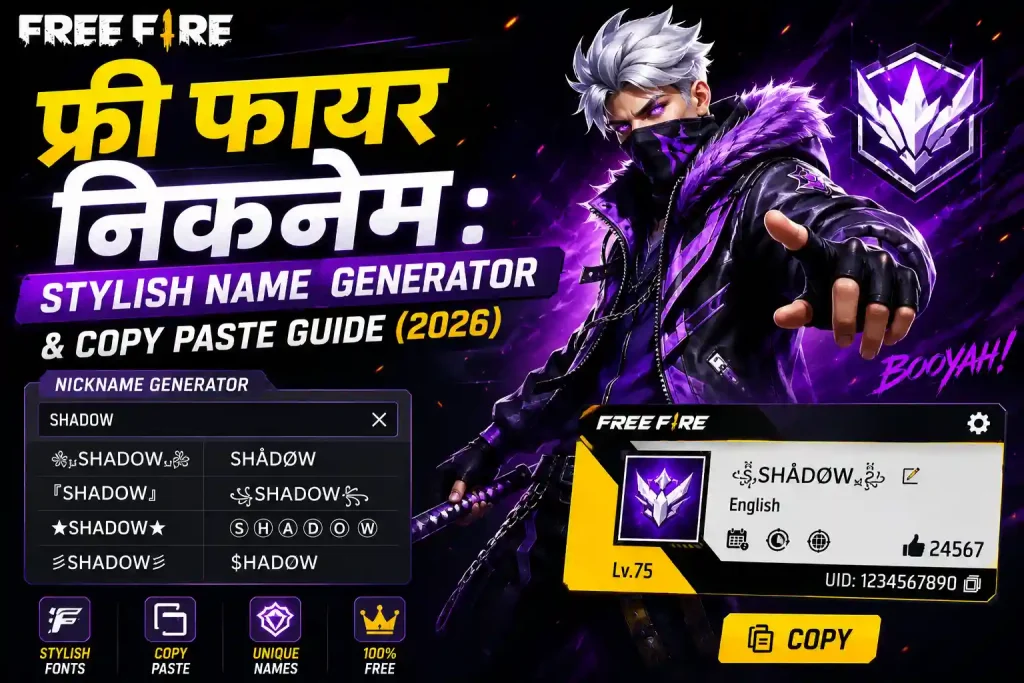
Generator Tool Hunting for symbols manually wastes time. That’s why using a stylish name generator tool is the easiest route just type your base name and get dozens of stylish variations in seconds.
How To Add Symbols
- Decide on your base name first something like “Ali” or “Zain”.
- Open your Free Fire profile and tap the edit icon.
- Type your name and paste the symbol at the start or end like “꧁Ali꧂” or “☆Zain☆”.
- Before saving, double-check there’s no hidden space left over.
Avoid overdoing it two or three symbols are enough, otherwise the name starts looking messy.
Best Symbols List
| Category | Symbols |
|---|---|
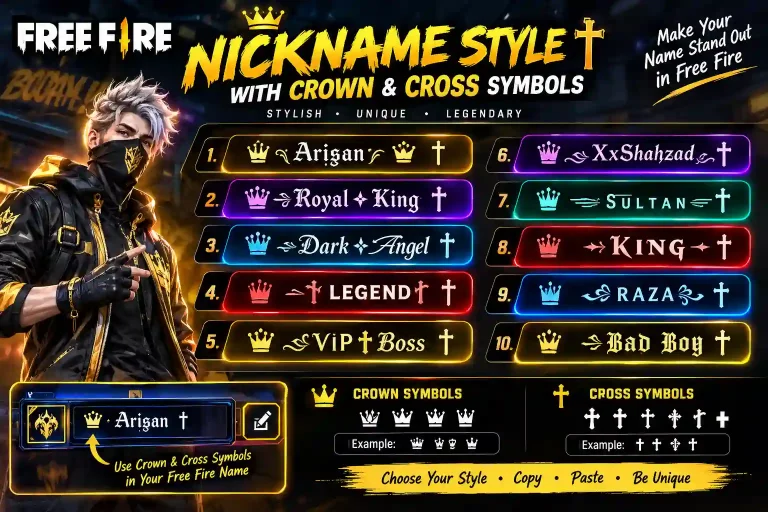
| Crown | ♕ ♛ ♔ ♚ 👑 |
| Star | ★ ☆ ✦ ✧ ✩ ✮ ✯ |
| Arrow | → ← ➤ ➜ ➔ |
| Heart | ♥ ❤ ❥ ❣ ♡ |
| Decorative | ꧁ ꧂ ツ 么 卂 |
Each category carries its own mood crowns give a royal feel, stars are versatile, and hearts add a friendly touch. It’s best to mix symbols from just one category so the name stays consistent.
How To Use Name Generator Tools
If you don’t have time to hunt for symbols yourself, an online generator is the best option. Head over to the Free Fire stylish name generator, type your base name, and you’ll get dozens of stylish options in seconds. Once you find one you like, hit copy and paste it straight into Free Fire’s nickname field.
Keep in mind Free Fire only allows 12 characters, so always check the length of your generated name.
Boy Style Free Fire Nickname Ideas
Short, sharp names work best for boys they’re easy to remember and look clean on the kill feed:
- RΛJ
- V!KΛS
- S0UL_K!NG
- SN!PΣR
- BØSS
- ΛK47
Swapping letters for special characters gives these names a classic pro-player feel.
Girl Style Free Fire Nickname Ideas
Soft, elegant names are more popular among girls, and pairing them with cute symbols makes them even more appealing:
- ꧁Pʀɪɴᴄᴇss꧂
- ✿ᴍɪsᴛʏ✿
- ᴀɴɢᴇʟ_ᴋɪss
- ✧QueenΛ✧
- ᴄᴜᴛᴇ_ʙᴜɴɴʏ
- ᴍᴏᴏɴ_ʟɪɢʜᴛ
You can add hearts or stars to any of these for another unique variation.
How To Change Your Font
Free Fire doesn’t offer any built-in font options, but a unicode text generator lets you turn your name bold, italic, or cursive. Head to the Free Fire font generator, type your base name, and you’ll instantly get multiple font styles like bold, 𝑖𝑡𝑎𝑙𝑖𝑐, or cursive styles such as ℛℴ𝒽𝒾𝓉.
Keep readability in mind when picking a font if your friends can’t read your name, they can’t invite you to squads easily.
Copy-Paste Mistakes To Avoid
- Hidden Spaces Copying from a website often adds an invisible character at the end. Paste into a notes app first to check before using it.
- Character Limit The limit is 12 characters; some unicode characters count as two.
- Unsupported Symbols If a box or question mark shows up after pasting, that symbol isn’t supported in Free Fire.
- Banned Words Offensive or hateful names can get your account suspended. You can check Free Fire’s official naming policy on the Garena support page.
Wrapping Up
Building a stylish फ्री फायर निकनेम isn’t hard you just need the right symbols, the right font, and a reliable generator. If you want the whole process done in a few seconds, try the फ्री फायर निकनेम generator enter your base name for free and get dozens of unique stylish names instantly.
Frequently Asked Questions
How do I change my Free Fire nickname?
Tap the edit icon next to your name in your profile and type a new one. The first change is free; every change after that costs 390 diamonds.
How do I add a space in my Free Fire nickname?
The regular spacebar doesn’t work you’ll need a special unicode space character that creates a gap in your name.
Can I use emojis in my nickname?
Yes, but not every emoji is supported. Simple smileys usually work fine always test them before saving.
Why isn’t my nickname changing?
This is usually caused by an unsupported character, a name over the 12-character limit, or a name that’s already taken.
Can two accounts have the same nickname?
No, every Free Fire account needs a unique nickname. If your chosen name is already taken, add a symbol or number to make it unique.
How many characters are allowed in a Free Fire nickname?
A maximum of 12 characters, including letters, symbols, and spaces.