Free Fire Font Generator: The Complete 2026 Guide to Stylish Fonts That Actually Work
Every third player you meet in ranked lobby has a name full of fancy symbols, bold letters, or glowing crowns and almost every one of them used a Free Fire font generator to get there. But here’s the part most guides skip: half of those “stylish” names look perfect on a website preview and then turn into broken boxes the moment they’re pasted into the game.
This guide fixes that. You’ll learn exactly how a font generator works inside Free Fire, which fonts are actually safe to use, how to avoid blank-box characters, and how to build a name that looks sharp in the kill feed instead of glitchy.
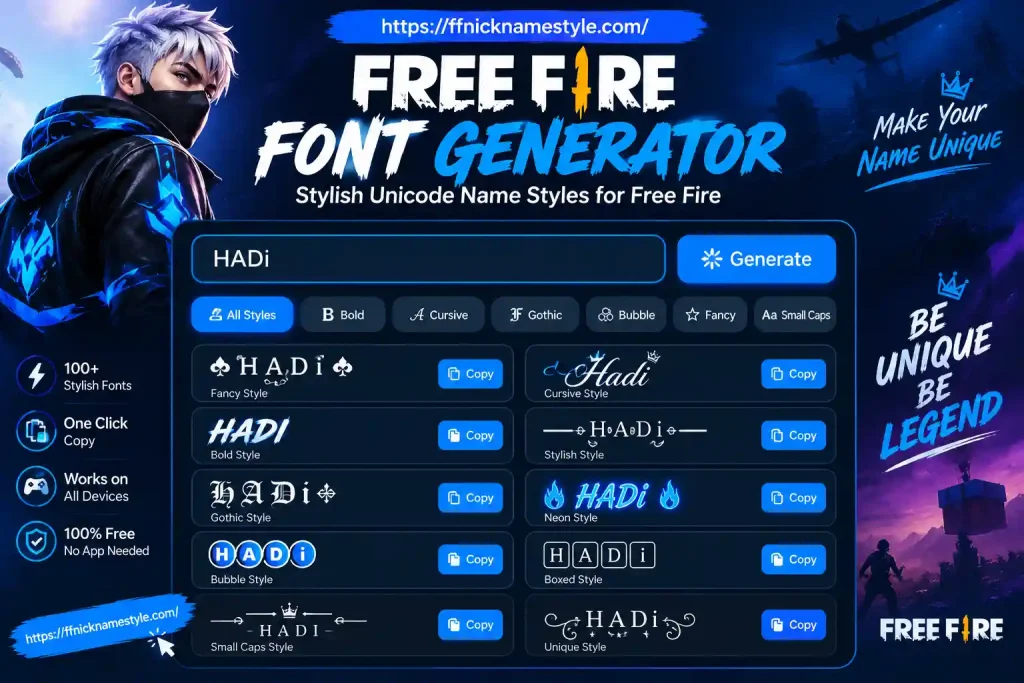
How a Free Fire Font Generator Actually Works
Free Fire doesn’t let you install fonts like a phone or a laptop does. There’s no font file being loaded when you rename your character. What actually happens is simpler and once you understand it, broken names stop being a mystery.
A font generator doesn’t create a new font at all. It swaps your normal letters for other Unicode characters that already exist and just happen to look stylish. Unicode is a massive international character chart, and it includes thousands of symbols, mathematical letters, and decorative alphabets that render on almost every phone and PC.
So when you type “Shadow” into a generator and get something like 𝕾𝖍𝖆𝖉𝖔𝖜, you’re not applying a font you’re picking a different set of pre-existing characters that visually resemble one. Free Fire’s game engine displays whatever Unicode symbols it recognizes, and that’s the entire trick behind every “cool font” name in the lobby.
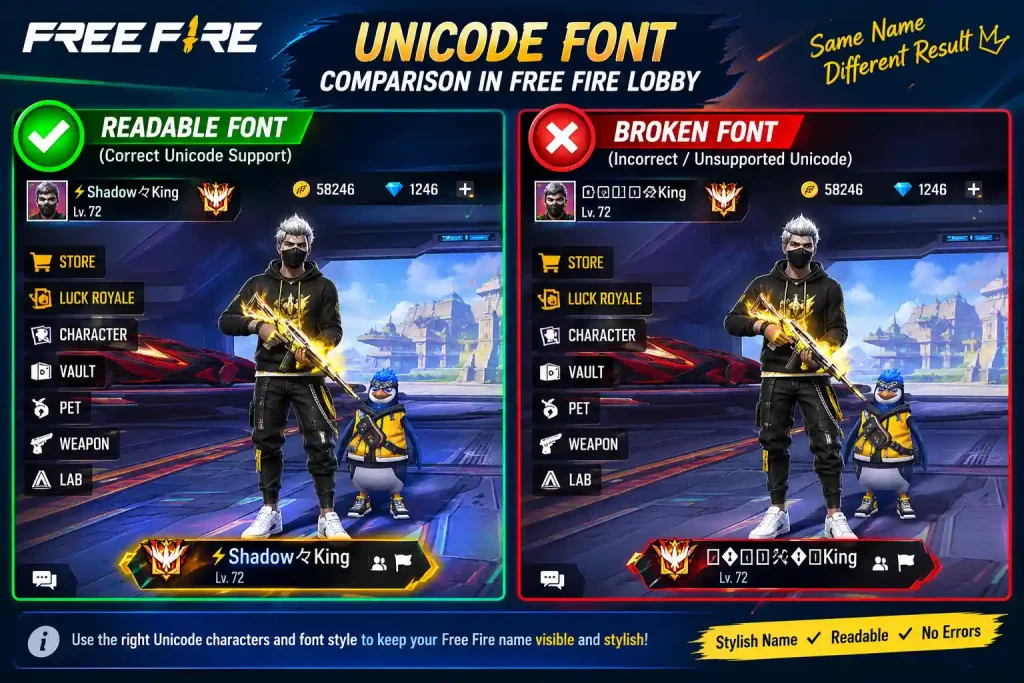
This also explains why some names fail. Free Fire supports a wide range of Unicode blocks, but not every single one. A generator that doesn’t check for game compatibility will hand you symbols that show up fine in your browser and then appear as empty squares once pasted into your in-game name field.
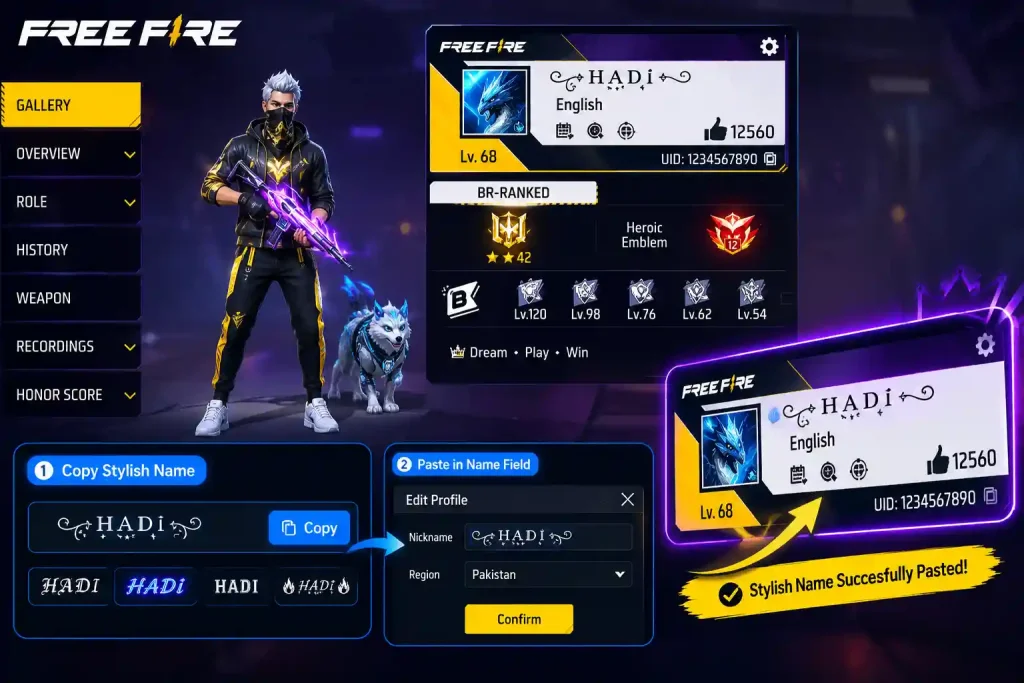
Step-by-Step: Generating a Stylish Free Fire Name
Getting a working stylish name takes less than a minute if you use a generator built for Free Fire specifically, rather than a generic “cool text” tool.
1. Open a Free Fire–focused name generator. Tools like FFNickNameStyle are built around Free Fire’s character limits and rendering rules, not generic social media fonts.
2. Type your base name. Something short five to eight letters works best. Long base names get eaten alive by decorative symbols and character limits.
3. Scroll through the generated styles. You’ll see bold, cursive, boxed, crown-decorated, and glitch-style variations, all built from your original word.
4. Copy the version you like with one tap.
5. Open Free Fire, go to your profile, tap the rename icon, and paste it. Remember: Free Fire caps names at 12 characters, and each Unicode symbol counts as one character even the fancy ones.
6. Test it in a custom room before spending a rename card. This one step saves more headaches than anything else on this list.
Best Free Fire Font Styles That Actually Look Good
Not every generated style is worth using. Some genuinely improve readability and presence; others just add clutter. Here’s what tends to hold up well in real matches:
Cursive/script styles keep your name legible while adding personality. A name like Nova becomes something like 𝒩𝑜𝓋𝒶 still instantly readable, just sharper.
Bold block styles are the strongest choice if you want visibility on the kill feed. They read clearly even at small sizes, which matters more than people think during fast-paced matches.
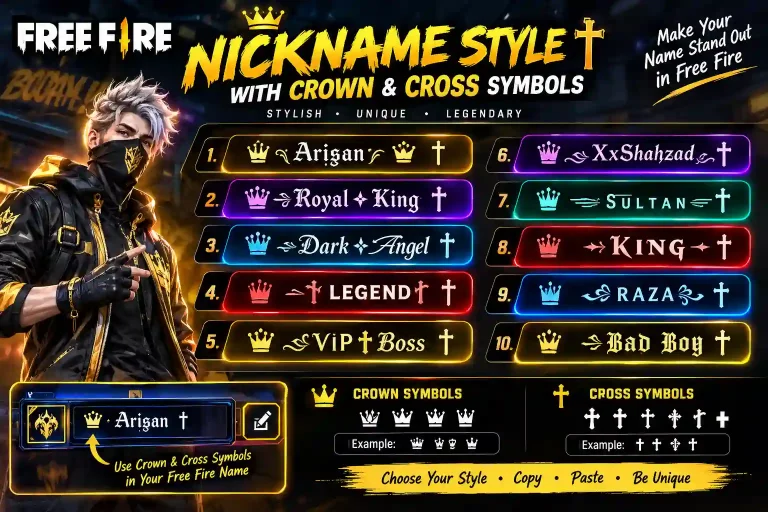
Crown and symbol accents work best as single bookends one symbol at the start, one at the end rather than stacking three or four around your name.
Glitch/zalgo text looks the most dramatic but is also the most likely to break on older or budget devices. Treat it as a style to test first, not one to commit to blindly.
The pattern across all of these: styles that keep your core word readable outperform styles that bury it. A name nobody can read out loud in voice chat isn’t actually “cool” it’s just confusing.
Why Some Fonts Break in Free Fire (And How to Avoid It)
The single most common complaint about font generators is a name that looked flawless on the website and then showed up as blank boxes or question marks in-game. This isn’t random bad luck it’s a predictable rendering gap.
Free Fire’s font engine supports common Unicode ranges well: basic Latin, Latin Extended, Greek, Cyrillic, and popular symbol sets like stars, hearts, and arrows. It struggles with rarer scripts, unusual combining marks, and some newer emoji, especially on older Android builds.
A generator that filters for game-safe characters will spare you this problem entirely. If you’re using a tool that doesn’t filter, here’s a quick manual check: paste the generated name into a plain notes app first. If any character shows as a box there, it’s very likely to break inside Free Fire too.
Testing in a custom lobby before committing a rename card is still the safest final step no filter is 100% perfect across every device on the market.
Font Generator vs. Symbol Generator vs. Nickname Generator
These three terms get used almost interchangeably online, but they solve slightly different problems.
A font generator focuses on restyling letters turning “Alex” into a bold, cursive, or boxed version of itself.
A symbol generator focuses purely on decorative characters crowns, stars, brackets meant to be added around a name rather than replacing the letters themselves.
A nickname generator is the broadest tool: it can suggest entire names, combine words, or mix random symbol sets, rather than just restyling text you already typed.
The best Free Fire tools blend all three, letting you generate a base name, pick a font style, and add symbol accents in one place instead of bouncing between three separate websites.
How to Build a Name That Stands Out in the Lobby {#stand-out}
Most players make the same mistake: they stack every decorative symbol they can find around a short word, and the result looks like visual noise on the kill feed instead of a clean, memorable name.
Keep the core word short. Six to eight letters is the sweet spot long enough to feel personal, short enough to survive the 12-character limit even after adding style.
Use one or two symbols, not five. A single crown or star on each side reads as intentional. Four or five different symbols read as clutter.
Add spacing where it helps. “Ghost King” is easier to read at a glance than “GhostKing” crammed together, even in a fancy font.
Keep the first and last characters as normal letters when possible. This keeps the name from blending into backgrounds or looking like a rendering error at a glance.
Say it out loud before you commit. If your squad can’t pronounce or reference your name in voice chat, the “unique” factor stops being useful.
Is Using a Font Generator Against Free Fire’s Rules?
Garena doesn’t ban players for using Unicode-based stylish names. The rules focus on content, not character style. Offensive language, impersonation attempts, or names designed to dodge chat filters are what actually trigger enforcement not the font itself.
A name like “Sʜᴀᴅᴏᴡ⚡” carries the exact same risk level as “Shadow,” provided the underlying word is appropriate. The style layer isn’t scanned as a violation; the content is what matters.
One practical safety note: avoid characters that render inconsistently across devices. A name that looks broken on a teammate’s phone can draw reports even when there’s nothing actually wrong with it it just looks like a glitch. Sticking to well-supported Unicode ranges avoids that entirely.
Why Players Are Switching to FFNickNameStyle
A lot of font generators were built for general “aesthetic text” use Instagram bios, Discord names, that kind of thing and only later got repurposed for gamers. That’s exactly where the blank-box problem comes from.
FFNickNameStyle was built specifically around Free Fire’s character limits and rendering behavior from the start, rather than adapted from a generic text tool afterward. That means fewer surprises between what you see on the site and what actually shows up after you hit save in-game.
It also groups styles the way players actually think about them bold, cursive, symbol-accented, boxed instead of dumping fifty near-identical variations into one long list. If you also want ready-made squad names, the site’s clan name generator covers that side too, so you’re not hopping between multiple tools for a name and a matching clan tag.
FAQs: Free Fire Font Generator
Will using a font generator get my Free Fire account banned?
No. Garena’s enforcement targets offensive or rule-breaking content, not stylish Unicode characters. As long as the underlying word is appropriate, a fancy font carries no extra risk.
Why do some fonts show as blank boxes in Free Fire?
Those characters come from Unicode ranges the game’s font engine doesn’t fully support. Sticking to common ranges Latin Extended, basic symbols, widely used decorative characters avoids this almost entirely.
How many characters can a Free Fire name have?
Up to 12, and every Unicode symbol counts as one character, fancy or not. Count your final styled name before saving it.
Do I need a rename card every time I want to try a new style?
Yes Free Fire requires a Name Change Card for every rename, which is exactly why testing a name in a custom room first is worth the extra minute.
Does a font generator work the same on every phone?
Mostly, since it’s just producing plain Unicode text you copy and paste. Very old devices or heavily customized Android builds are the main exception where certain symbols may not render.