How to Change Guild Name in Free Fire (2026 Guide): Cost, Requirements & Best Guild Name Ideas

How to Change Guild Name in Free Fire
Your guild name is one of the first things other players notice in Free Fire. Whether your squad has become more competitive, your old name feels outdated, or you simply want a fresh identity, changing your guild name is a quick way to give your team a new look.
The good news is that Free Fire makes the process simple. As long as you meet the requirements, you can update your guild name within a few minutes.
In this guide, you’ll learn how to change a guild name in Free Fire, the cost involved, the requirements, common mistakes to avoid, and tips for choosing a stylish guild name.
Who Can Change a Guild Name?
Not every member has permission to rename a guild.
Only the Guild Master can change the guild name. If you’re a regular member or an officer, the rename option won’t appear in your guild settings. In that case, you’ll need to ask the Guild Master to make the change or transfer leadership if necessary.
Guild Name Change Requirements
Before changing your guild name, make sure you have:
- Guild Master access
- At least 500 Gold
- A new guild name ready to use
- A stable internet connection
Once these requirements are met, you’re ready to rename your guild.
How to Change Guild Name in Free Fire
Follow these simple steps:
- Open Free Fire.
- Tap the Guild icon from the main lobby.
- Open your guild profile.
- Tap the Settings (gear) icon.
- Select Change Guild Name.
- Enter your new guild name.
- Review the spelling and symbols.
- Tap Confirm.
After confirmation, 500 Gold will be deducted, and your new guild name will appear immediately.
How Much Does It Cost?
Changing a guild name costs 500 Gold.
Unlike many cosmetic features, you don’t need Diamonds to rename your guild. Gold can easily be earned by:
- Daily login rewards
- Completing missions
- Playing ranked matches
- Guild activities
- Seasonal events
For active players, collecting 500 Gold usually doesn’t take long.
Tips Before Changing Your Guild Name
Before confirming the new name, keep these points in mind:
Note that this is different from changing your in-game player name, which works through Diamonds or Name Change Cards. If you’re curious about that process, check out our full breakdown: Free Fire Name Change Cost: Diamonds, Cards & Free Methods Explained.
Choose a Short Name
Short guild names are easier to remember and look cleaner in the lobby.
Avoid Difficult Symbols
A few stylish symbols make your guild attractive, but using too many can make the name difficult to read.
Match Your Team Identity
Competitive teams often choose powerful names, while casual guilds usually prefer creative or funny names.
Check the Spelling
Once the Gold is spent, you’ll need another 500 Gold if you want to fix a typo.
Best Free Fire Guild Name Ideas
Aggressive Guild Names
- WARLORDS
- SHADOW
- STORM
- ELITE
- TITANS
- HUNTERS
- VIPERS
- PHANTOM
- STRIKERS
- DOMINATORS
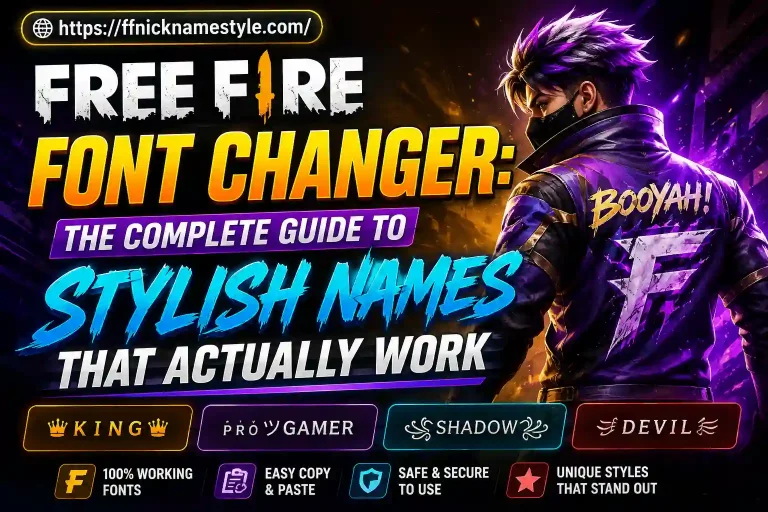
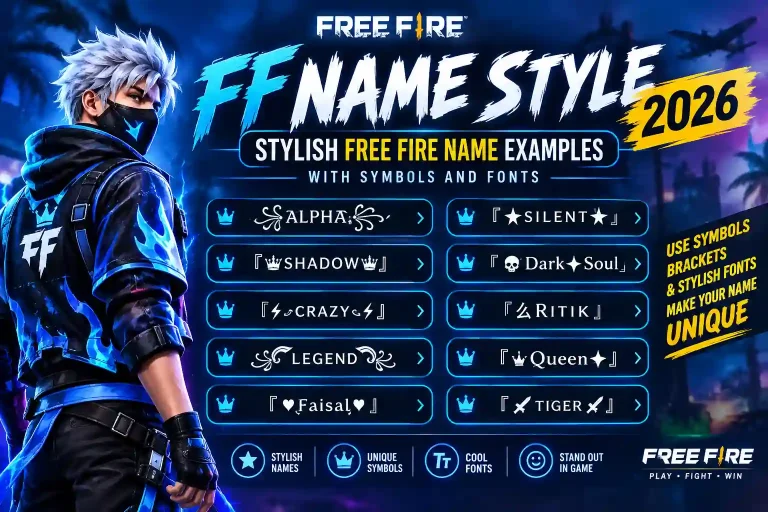
Stylish Guild Names
- ꧁LEGENDS꧂
- ★APEX★
- ♛ROYALS♛
- 亗NEXUS亗
- ☆VOID☆
- ★ECLIPSE★
- ♚ELITE♚
- ꧁FALCONS꧂
- ♛DYNASTY♛
- ★VORTEX★
Cool Guild Names
- Night Crew
- Alpha Team
- Dark Wolves
- Ice Kings
- Battle Zone
- Inferno
- Silent Killers
- Crimson Squad
- Ghost Riders
- Nova Force
Common Reasons Players Change Guild Names
Many players rename their guild because:
- The old name no longer fits the team.
- They want a more professional identity.
- The guild has new members.
- They’re participating in tournaments.
- They want a stylish or modern look.
Changing your guild name can make your squad feel fresh and more recognizable.
Mistakes to Avoid
Many players make these mistakes:
- Using very long names.
- Adding too many symbols.
- Copying popular guild names exactly.
- Choosing names that are difficult to pronounce.
- Forgetting to check spelling.
A simple and unique guild name is often the most memorable.
Can You Change the Guild Name More Than Once?
Yes.
You can change your guild name multiple times as long as you have enough Gold and you’re the Guild Master. Every rename requires another 500 Gold.
Does Changing the Guild Name Affect Progress?
No.
Renaming your guild only changes its display name.
Your guild’s:
- Level
- Members
- Guild points
- Rank
- Contributions
- Progress
remain exactly the same.
How to Choose the Perfect Guild Name
The best guild names usually have three qualities:
- Easy to read
- Unique
- Memorable
Avoid complicated words. Choose a name your teammates will still like months from now.
Frequently Asked Questions
Can any member change the guild name?
No. Only the Guild Master has permission.
Does changing the guild name cost Diamonds?
No. It costs 500 Gold.
Will my guild level reset?
No. Your guild level and progress remain unchanged.
Can I use stylish symbols?
Yes. Free Fire supports many Unicode symbols and stylish fonts, provided they fit within the character limit.
Can I rename my guild multiple times?
Yes. Each rename costs 500 Gold.
Final Thoughts
Changing your guild name in Free Fire is a simple process that only takes a few minutes. As long as you’re the Guild Master and have 500 Gold, you can give your guild a fresh identity whenever you want.
Before confirming the change, choose a name that represents your squad, is easy to remember, and looks great in-game. A clean and stylish guild name not only improves your guild’s identity but also helps your team stand out in every match.
If you’re struggling to find the perfect name, try a Free Fire Guild Name Generator to explore hundreds of creative, stylish, and unique guild name ideas before making your final decision.