Free Fire Stylish Name Generator 2026: Free Tools, Cost Comparison & How to Create a Unique Name
Finding a stylish name that actually stands out in Free Fire lobbies isn’t as simple as typing random symbols. Between paid tools that overpromise, generators that spit out broken fonts, and strict in-game naming rules, most players end up frustrated before they ever get a name they’re happy with. This guide breaks down everything you need cost, the best free tools, a step-by-step process, and the mistakes that get names flagged or rejected so you can build a name that’s unique, safe, and ready to use in minutes.
Key Takeaways
- Stylish Free Fire name generators are almost always free you should never need to pay for one.
- The best tools combine Unicode fonts with symbols, not just plain text swaps.
- Free Fire has specific character and content rules; ignoring them is the #1 reason names get rejected or reset.
- A great stylish name balances readability with visual style too many symbols can make a name hard to read or search.
- You can change your in-game name a limited number of times for free before Diamonds are required.
What Is a Free Fire Stylish Name Generator and Why Every Player Needs One
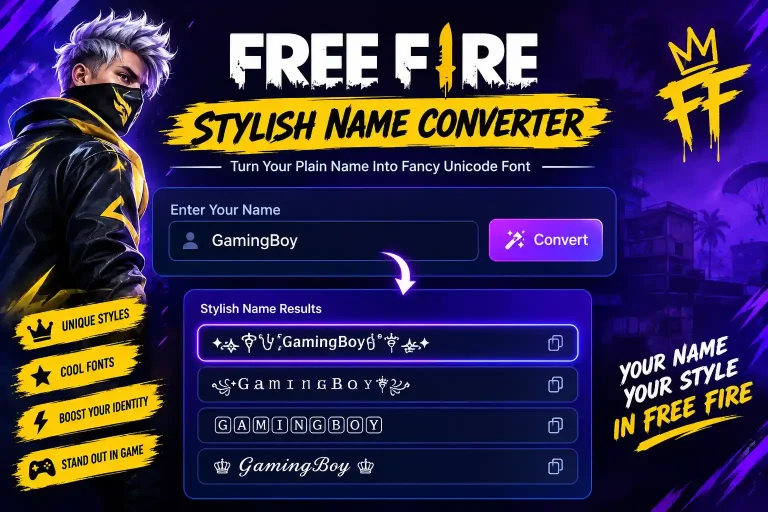
A stylish name generator is a tool that converts plain text into decorative versions using Unicode characters special symbols, fancy fonts, and stylized letters that aren’t part of the standard keyboard but are still supported inside Free Fire’s naming system. Instead of manually hunting for symbols one by one, you type your name once and the generator produces dozens of styled variations instantly.
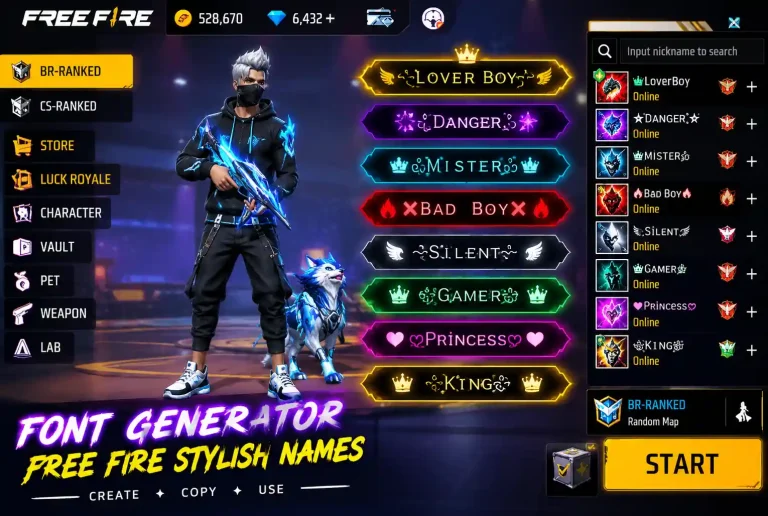
For Free Fire players specifically, a stylish name matters more than in most other games. Your in-game name is visible in every match, on the killfeed, in clan chat, and on leaderboards it’s effectively your identity in the game. A name built with the right mix of fonts and symbols helps you stand out in a lobby of 48 players, signals your clan or personal brand, and in many cases becomes part of how other players recognize and remember you.
Is a Stylish Name Generator Free? Full Cost Breakdown
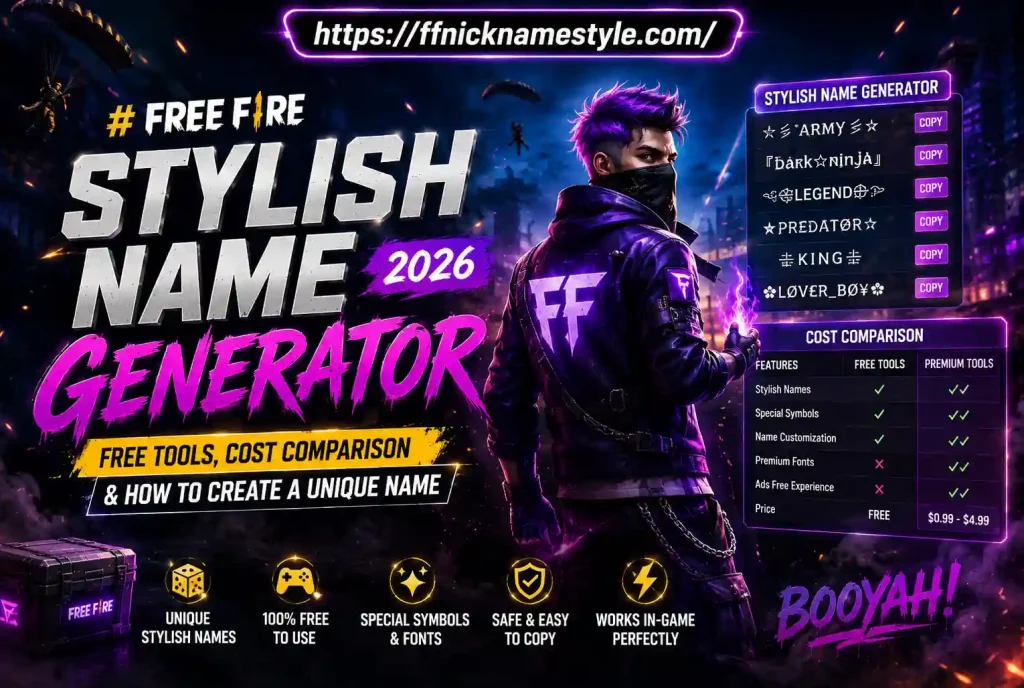
Here’s the short answer: stylish name generators should always be free, and if you’re being asked to pay, you’re likely using the wrong tool. That said, it’s worth understanding where “hidden costs” sometimes creep in:
- The generator itself Free. Legitimate tools like ffnicknamestyle.com don’t charge for generating names or symbols.
- Changing your name in-game Free Fire gives you one free name change. After that, each additional change typically costs Diamonds (in-game currency), which does cost real money if you don’t already have a balance.
- “Premium” font packs Some sites gate certain fonts or symbols behind a paywall or require watching multiple ads. These aren’t necessary free alternatives cover the same styles.
- Fake generator apps Some mobile apps charge subscription fees for basic text styling that any web-based generator does for free. Avoid these entirely.
The bottom line: budget $0 for generating your name, and only expect a cost if you’re changing your in-game name for the second time or beyond.
Best Free Stylish Name Generators for Free Fire (Tested & Compared)
Not all generators are built the same. Some focus purely on font styling, others on symbol libraries, and the best ones combine both with categorized options so you’re not scrolling through hundreds of irrelevant symbols. When comparing tools, look for:
- Category-based symbol libraries (stars, crowns, hearts, brackets, arrows) instead of one giant unsorted list
- Instant copy-paste functionality with no sign-up required
- Mobile-friendly design, since most Free Fire players generate names from their phone
- Regularly updated symbol sets, since Free Fire’s supported character range can shift with game updates
- No forced ads or fake “download” buttons that lead to unrelated apps
Generators that combine a clean symbol picker with real-time preview tend to save the most time, since you can see exactly how the name will look before copying it rather than pasting into the game and finding out a symbol doesn’t render correctly.
Step-by-Step: How to Generate a Stylish Free Fire Name in Under 1 Minute
- Type your base name into the generator’s input box keep it simple, since symbols will be added around it.
- Browse styled variations the tool generates automatically, or pick a symbol category (stars, crowns, brackets, etc.) if you want more control.
- Preview the name to check it displays correctly and stays within Free Fire’s character limit (typically 20 characters).
- Copy the final name to your clipboard.
- Open Free Fire, go to your Profile, tap Edit Name.
- Paste the name and confirm.
- Save changes if it’s your first change, it’s free; otherwise confirm the Diamond cost before proceeding.
If a symbol shows up as a blank box or question mark after pasting, it means Free Fire doesn’t support that specific Unicode character swap it out and try again.
50+ Creative Symbol & Font Combos to Make Your Name Stand Out
The best stylish names usually follow one of a few proven patterns rather than random symbol-stacking:
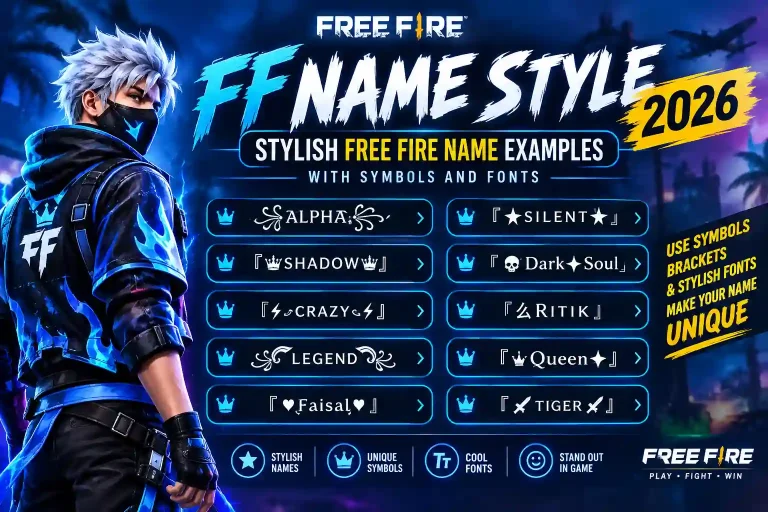
- Bracket framing: 「YourName」, 【YourName】, ▄▀YourName▀▄
- Symbol bookends: ★YourName★, ➤YourName➤, ☬YourName☬
- Crown/royalty style: ↭YourName↭, 👑YourName👑
- Minimalist Unicode fonts: 𝒴𝑜𝓊𝓇𝒩𝒶𝓂𝑒, 𝕐𝕠𝕦𝕣ℕ𝕒𝕞𝕖
- Aggressive/clan style: ☠YourName☠, ⚔YourName⚔
The pattern matters more than the specific symbol — pick a “framing” symbol pair and a font style, then keep it consistent. This is also where category-based tools shine, since they let you swap the framing symbol while keeping the same base style, so you can test several combinations in seconds. For a longer list of ready-made name ideas across different styles, see this collection of Free Fire name ideas.
Common Mistakes That Get Free Fire Names Rejected or Banned
- Overloading symbols Names with excessive special characters can fail validation or simply look unreadable in-game.
- Impersonating official accounts Using “Garena,” “FreeFire,” or similar official terms in a name typically gets flagged.
- Offensive or hidden inappropriate text Free Fire’s filters scan for masked profanity or slurs, even inside stylish formatting.
- Exceeding the character limit Long symbol combinations can silently get truncated or rejected.
- Using unsupported Unicode ranges Some symbols render fine on a generator’s website but show as blank boxes inside the actual game.
- Copying a name that’s already take Free Fire enforces unique names account-wide; a popular stylish name may already be claimed.
Testing your name in the actual in-game name field before finalizing avoids almost all of these issues.
Font Generators Explained: Fancy Text vs. Stylish Symbols
These two terms get used interchangeably, but they’re technically different tools doing different jobs:
- Font generators change the letters themselves into stylized Unicode alternatives bold, italic, gothic, bubble, or cursive-style text that still spells your name normally.
- Symbol generators add decorative characters around or between your existing letters stars, brackets, dividers without changing the letters.
The strongest stylish names typically combine both: a styled font as the base, framed with symbols. Using only one or the other tends to look either too plain (symbols with normal text) or too hard to read (heavy fonts with no framing to break it up).
Free Fire Name Rules 2026: Keep Your Stylish Name Safe & Compliant
Garena updates its supported character sets periodically, so a name that worked last year isn’t guaranteed to work today. To keep your name compliant:
- Stick to Free Fire’s standard 20-character limit including symbols.
- Avoid names that closely mimic official Garena or Free Fire branding.
- Don’t include real personal information (phone numbers, social handles) in your in-game name.
- Recheck your name after major game updates, since Unicode support can change.
- If a name gets auto-reset by the system, it usually means a rule was violated regenerate rather than trying the exact same combination again.
Free Fire Name Ideas by Category
If you’d rather browse ready-made names than build one from scratch, here are the main categories worth checking:
- Stylish Boy Names Bold, symbol-framed names built around strength or dominance themes.
- Stylish Girl Names Elegant Unicode fonts paired with softer symbols like hearts or stars.
- Attitude Names Short, punchy names using aggressive symbols (skulls, swords, lightning).
- Clan/Guild Names Names designed to be recognizable as a group, often sharing a consistent symbol or bracket style across members.
For a full breakdown with ready-to-copy examples in each category, check out this complete list of Free Fire name ideas for 2026.
Frequently Asked Questions
Are Free Fire stylish name generators free to use?
Yes. Legitimate stylish name generators are free with no sign-up required. Be cautious of apps or sites that ask for payment just to generate or copy a name.
Can I use any symbol in my Free Fire name?
No. Free Fire only supports specific Unicode character ranges. Some symbols that display correctly on a website may not render inside the game and will show as a blank box.
How do I change my name in Free Fire?
Go to your Profile, tap Edit Name, paste or type your new name, and confirm. Your first name change is free; additional changes require Diamonds.
Do stylish names affect gameplay or ranking?
No. A stylish name is purely cosmetic and has no effect on stats, matchmaking, or ranking.
What is the best Free Fire stylish name generator in 2026?
The best tools offer categorized symbol libraries, real-time preview, and mobile-friendly copy-paste — letting you test combinations quickly without unsupported symbols breaking your name in-game.
How many times can I change my Free Fire name for free?
You get one free name change. Every change after that requires spending Diamonds, with the cost increasing based on how many times you’ve already changed it.