How Free Fire Name Generator Works Complete Guide for 2026
Every player who opens your profile sees your name before anything else. Not your rank. Not your kill count. Your name. In a game with hundreds of millions of active players worldwide, a plain default name makes you invisible. Understanding how a Free Fire name generator actually works and how to use it properly is the first step toward building a gaming identity that people remember.
The Real Reason Most FF Names Look Amateur
The problem is not creativity. Most players have ideas for cool names. The problem is execution. Standard phone keyboards only produce basic Latin letters. Free Fire’s name field, however, accepts a far wider range of characters and almost nobody knows how to access them without help.
This is exactly the gap a good name generator fills. It bridges what you can type and what the game can actually display.
What Is Actually Happening Inside a Name Generator
When you type your name into a Free Fire stylish name generator, the tool runs a character conversion process behind the scenes. Here is what that process looks like in plain terms.
Your keyboard produces standard characters the everyday A, B, C letters found on every device. Unicode, the international text standard, contains over one hundred thousand characters beyond these basics. This includes mathematical bold letters, Gothic scripts, Fraktur typefaces, enclosed characters inside circles or squares, and thousands of decorative symbols.
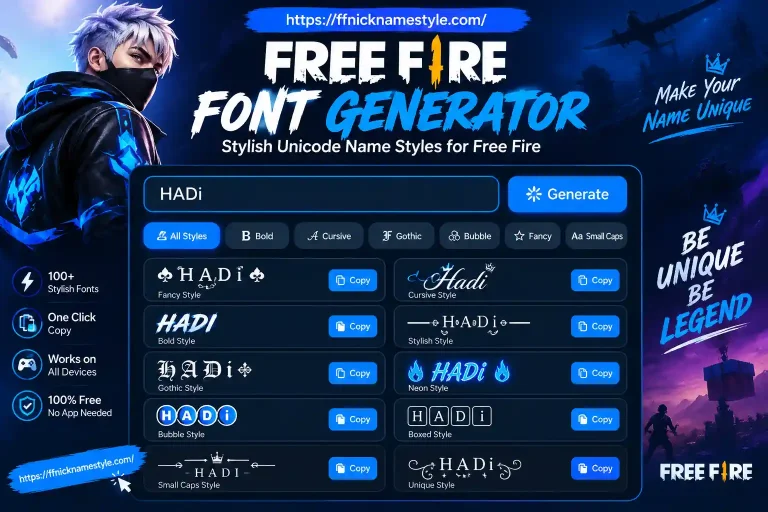
A name generator maps your input letters to their equivalents within whichever Unicode style you select. The output characters look completely different from standard text but function as valid characters that Free Fire’s text engine reads and displays correctly on screen.
The result is a name that appears styled, decorated, and visually unique without requiring any technical knowledge from you. You type, select a style, copy, and paste. The conversion happens automatically.
Which Character Styles Actually Work Inside Free Fire
This is where many players run into problems. Not every Unicode character renders correctly in Free Fire. The game supports certain Unicode ranges and quietly rejects others, displaying unsupported characters as empty boxes or question marks.
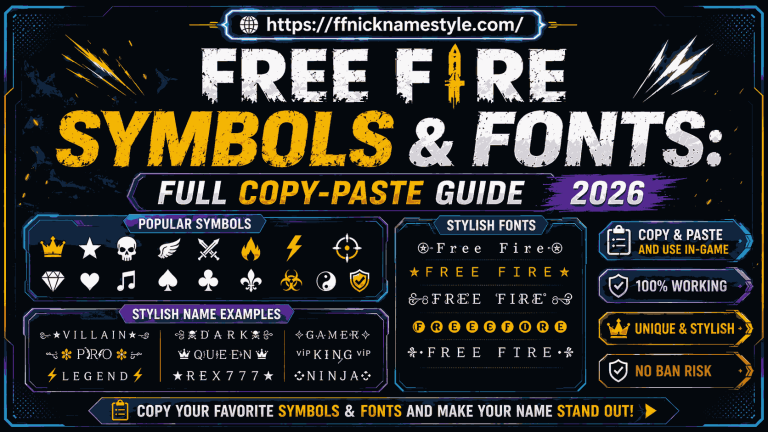
Character styles with reliable in-game rendering include mathematical bold and italic fonts, which convert standard letters into thicker weighted versions. Gothic and Fraktur scripts produce a dark, dramatic look favored by competitive players. Enclosed characters place letters inside circles or geometric shapes for a structured effect. Decorative symbols including stars, crowns, flames, swords, and arrows work consistently when pulled from the correct Unicode ranges.
The key difference between a reliable generator and a poor one is whether it filters out incompatible characters before showing you results. A good tool only presents options that have been tested and confirmed to display properly on both Android and iOS devices.
The Invisible Character Trick Most Players Do Not Know
There is a widely used technique in Free Fire name styling that surprises players the first time they encounter it. Free Fire does not allow regular spacebar spaces in names if you try to add one, the game rejects it. However, certain Unicode blank characters are accepted by the game and display as empty space.
This invisible character trick allows players to center their name visually within the lobby display, create deliberate spacing between symbols and text, and produce name layouts that look intentional and structured rather than cramped.
To use it, you copy the specific blank Unicode character available in most good name generator tools as a dedicated button and paste it into whichever position inside your name you want the spacing to appear. The spacing holds when you save the name and displays exactly as intended inside the game.
How to Create a Stylish FF Name Without Downloading Any App
Use the website FF Nickname Style to create stylish Free Fire names directly in your browser without installing any app.
Steps:
- Open the website in your browser
- Go to the search bar on the site
- Type your name
- Press search
Now you will see 100+ stylish name designs below.
- Scroll through the styles
- Click on the style you like
- The name will be copied automatically
Now:
- Open Free Fire
- Go to your profile
- Tap on the name edit option
- Paste the copied name
- Confirm the change
Name Styling Preferences Across Pakistani and Indian Servers
Player communities in Pakistan and India have developed distinct naming aesthetics that reflect their gaming culture and regional identity.
Pakistani Free Fire players commonly favor names that blend Urdu-influenced words with bold Gothic fonts. Warrior-themed terms like Badshah, Sultaan, Toofan, and Shehzaada carry cultural weight while looking visually striking in international lobbies. Sword and flame symbols placed symmetrically around the name reinforce the aggressive, competitive tone.
Indian server players often combine Sanskrit-inspired words or regional references with crown and star embellishments. Bright, high-contrast font styles tend to be popular on the India server, where the sheer volume of players makes visual distinctiveness especially important.
Across both regions, a few rules consistently produce better results. Keeping the core word short leaves room for decorative elements without exceeding the twelve-character limit. Using symbols at the edges rather than scattered throughout the name keeps it readable at small display sizes. And always testing the final name inside the game before spending diamonds on the change preview screens do not always match actual in-game rendering.