How to Type the Invisible Hangul Filler (U+3164) on Any Device
If you’ve ever spotted a player in a game lobby with a completely blank name no letters, no symbols, just empty space that wasn’t a bug. That was someone who knew exactly how to use the Hangul Filler character.
The character responsible is U+3164, officially known as the Hangul Filler. It’s a real Unicode character that renders as invisible on almost every platform. You can’t see it, but it still occupies space and that combination is what makes it so useful for gaming names, Korean text formatting, and any situation where a regular spacebar simply won’t do the job.
This guide covers what the character actually is, how to type it on every major device, where it’s commonly used, and how to get the most out of it whether you’re styling a game name or working with Korean text.
What Is the Hangul Filler, and Why Does It Behave Differently From a Space?
The Hangul Filler comes from the Hangul Compatibility Jamo block in Unicode a set of characters originally built for the Korean writing system. Korean syllables are formed by combining components (an initial consonant, a vowel, and sometimes a final consonant), and the filler was designed to hold a syllable block’s structure when one of those components was missing.
What makes it interesting outside of Korean typography is simple: most platforms treat it very differently from a regular space. A standard spacebar space (U+0020) is usually stripped or rejected in username fields, search boxes, and forms. The Hangul Filler, on the other hand, slides right through because platforms register it as an actual character, not empty whitespace, even though nothing appears on screen.
That distinction is exactly why so many gamers rely on it. Where a normal space fails, U+3164 works.
How to Type Hangul Filler on Android
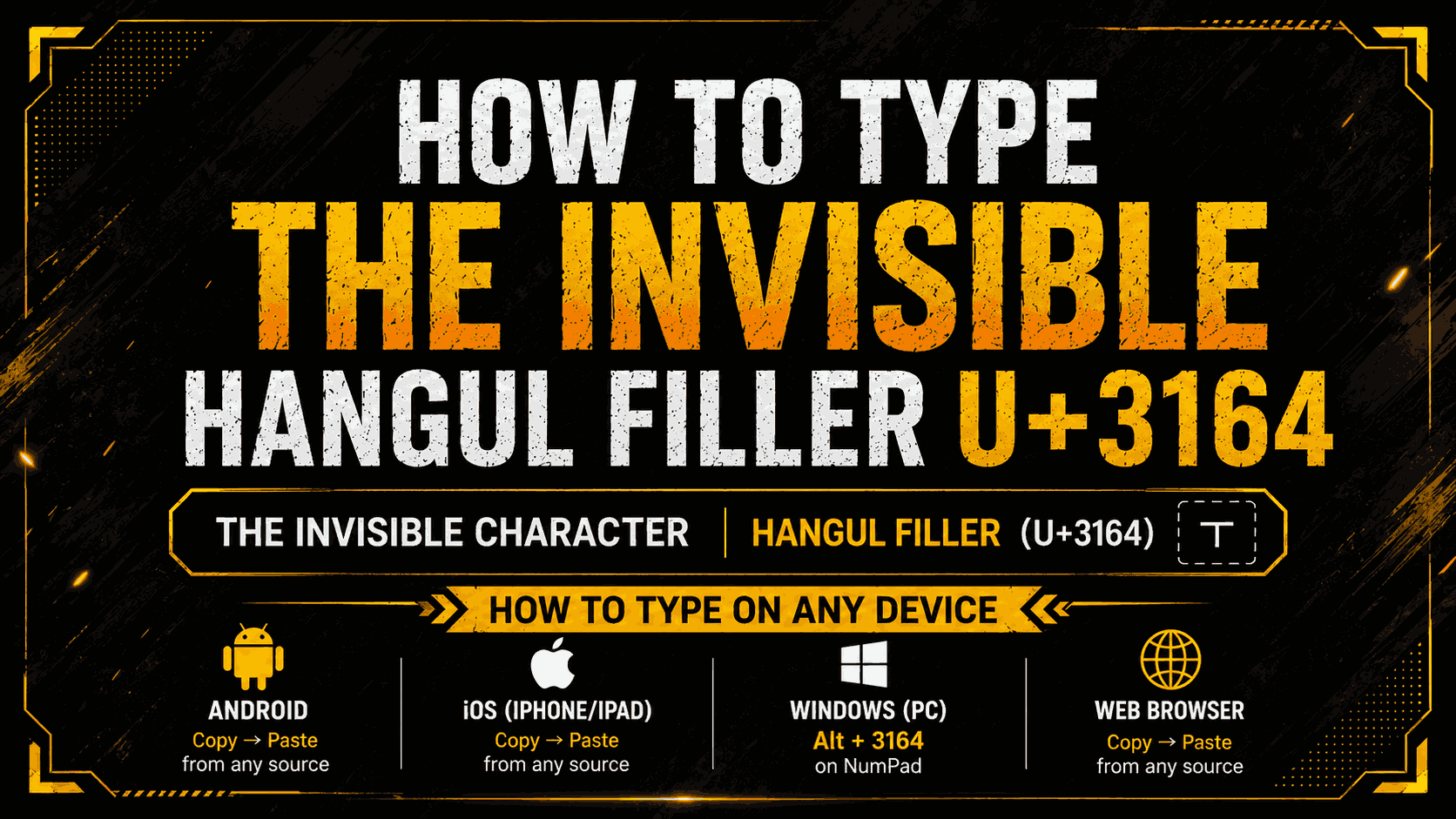
Android has no built-in keyboard shortcut for this character, so copy-paste is the most reliable method.
- Find the character. Visit a Unicode reference page or a dedicated character generator and use the copy button to grab U+3164 directly.
- Save it somewhere accessible. Paste it into your Notes app or any text field. It’ll look like nothing happened that’s normal. The character is there, just invisible.
- Reuse it anywhere. Copy that saved character again whenever you need it a username field, a bio, or a chat app.
A quick heads-up: some Android keyboards will auto-correct or quietly delete the character if you try to retype it manually. Keeping a saved copy in Notes means you won’t have to hunt for a source every time.
How to Type Hangul Filler on iPhone and iPad
The process is essentially the same as Android there’s no direct way to type this character from an iOS keyboard.
- Grab the character from a Unicode tool or generator in Safari, using the one-tap copy option.
- Paste it into Notes. If autocorrect keeps replacing or removing it, turn autocorrect off temporarily.
- Copy and reuse it by long-pressing the saved character in Notes and pasting it anywhere else on your device.
A handy trick: set up a Text Replacement shortcut. Go to Settings > Keyboard > Text Replacement, paste the Hangul Filler as the phrase, and assign it a shortcut like “hf3164.” From then on, typing that shortcut anywhere on your phone will automatically insert the character.
How to Type Hangul Filler on Windows
Windows offers a few more direct options than mobile devices.
- Character Map: Search for “Character Map” in the Start menu, open it, and search for “Hangul Filler.” Select it and copy it to your clipboard.
- Unicode Input: Some Windows apps support typing Unicode directly hold Alt, type the decimal code on the numpad, then release Alt. Support for U+3164 varies by app, so it’s worth testing first.
- Copy from a tool: The most consistent method across any device use a dedicated Unicode reference or generator tool, copy the character, and paste it wherever you need it.
How to Type Hangul Filler on Mac
Mac has a reliable built-in Unicode input method once it’s set up.
- Go to System Settings → Keyboard → Input Sources, and add the Unicode Hex Input layout.
- Switch to that input method from the menu bar.
- Hold Option and type 3164 the Hangul Filler will appear in your active text field.
Once you’ve generated it, save it to a sticky note or text file so you don’t need to switch input methods every time you need it again.
How Hangul Filler Is Used in Gaming Names
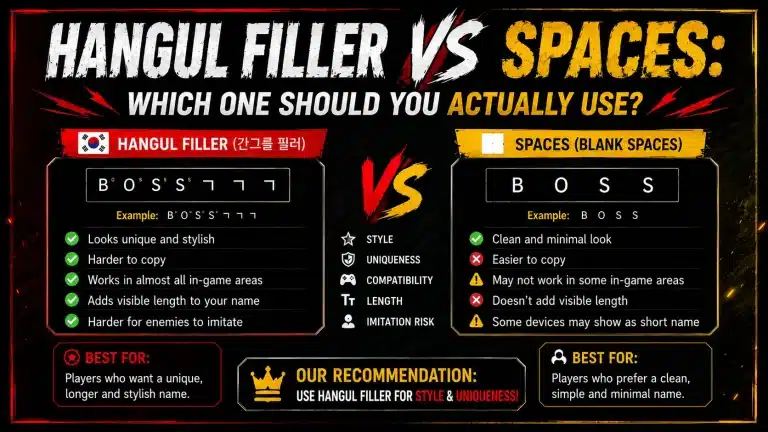
This is where most people encounter the character for the first time. Many games reject regular spaces in username fields but accept U+3164 as a valid character resulting in a name that appears completely blank in lobbies, kill feeds, and leaderboards.
Some players use it on its own for a fully invisible name. Others pair it with superscript characters (small floating-looking letters) to create names that appear to hover in empty space.
A typical workflow looks like this:
- Copy the Hangul Filler character from a reliable source.
- Paste it into your phone’s Notes app.
- Add superscript letters beneath or around it if you want a “floating text” effect instead of a fully blank name.
- Select everything and copy it as one block.
- Open the game, go to your profile, and tap the name-edit option.
- Paste the copied text into the name field.
- Confirm the change if a name-change item is required.
Before committing to any change that costs an in-game item, always preview how the name actually looks. Keep in mind that character limits in most games count invisible characters too, so stay within the game’s total character limit to avoid the name being rejected.
How Hangul Filler Works in Korean Text Formatting
Outside of gaming, this character matters to anyone working with Korean text in documents, apps, or design tools. Korean spacing conventions differ from English, and knowing when a filler character is appropriate versus when standard spacing rules apply actually matters for correct formatting.
The Hangul Filler works as a syllable-block placeholder: it fills the structural position of a Hangul character without rendering a visible glyph. This is useful in specific rendering contexts where an empty block needs to exist to preserve alignment.
A few things worth knowing:
- Use it for placeholder alignment inside Korean syllable grids.
- Avoid using it as a substitute for standard word spacing in ordinary Korean sentences.
- It pairs well with monospaced fonts where precise alignment matters.
- Always test how it renders in your specific app or platform before relying on it for published work.
One Character, More Uses Than You’d Expect
Most people discover the Hangul Filler through gaming they want a blank name, they find U+3164, they copy it, and move on. But the character has a longer history and more legitimate uses than that single trick suggests.
Whether you’re working with Korean text in a design or publishing context, trying to get Korean formatting right, or just chasing that blank in-game name, knowing how to type this character correctly on your specific device saves you the frustration of watching it disappear or get rejected.
Copy it once, save it somewhere you can find again, and use it wherever it’s needed.
FAQs
Where can I find the Hangul Filler character?
The easiest source is a Unicode reference page or a dedicated generator with a one-tap copy button. Once you have it, save it in your Notes app so you don’t need to search for it again.
How do I use Hangul Filler in a sentence?
In Korean text, it acts as a syllable placeholder rather than a word space. For gaming or social media, paste it into fields where regular spaces get rejected. It works best either on its own or combined with other Unicode characters for stylistic effects.
Does Hangul Filler improve readability in Korean text?
Not in standard writing. Its role in traditional Korean typography is structural related to rendering, not readability. Everyday Korean sentences should follow normal spacing rules; the filler is a formatting tool, not a readability enhancement.
When should I avoid using Hangul Filler in Korean writing?
Avoid using it as a replacement for regular word spacing in standard Korean text. Using it where a normal space belongs can cause rendering issues in some editors and publishing tools.
What’s the best practice for using Hangul Filler in Korean formatting?
Use it only where its specific properties are actually needed placeholder syllable blocks, invisible spacing for gaming, or alignment in structured Korean text rendering. For everything else, standard Korean spacing conventions are the right choice.