Nickname Ideas: The Complete Guide
Your Free Fire nickname is the first thing anyone sees about you, before your rank, your kills, or your gameplay. It shows up in the kill feed, on the leaderboard, and in every clip your squad posts online. This guide walks through everything that goes into picking a name that actually works: the rules Garena enforces, the styles that hold up over time, and a few angles most nickname guides skip entirely.
Key Takeaways
- A Free Fire nickname can be up to 12 characters, but symbols and combined characters can take up more space than they appear to.
- Changing your name requires a Name Change Card, which typically costs around 390 diamonds if you don’t already have one from an event.
- Simple symbols like stars, crowns, and hearts render reliably across devices, while heavier symbol stacks are more likely to break or display as blank boxes.
- Your nickname carries over between Free Fire and Free Fire MAX since both apps share the same account.
- Duo, squad, and character-inspired names are an easy way to stand out, since most nickname guides only focus on solo names.
Why Your Free Fire Nickname Matters
The moment you land, your nickname becomes your identity for that match, and often for every match after it if you keep it. A name like “SniperKing” reads as intentional and earns a bit of instant credibility, while a default “Player38291” barely registers. That first impression shapes how opponents and teammates react before a single shot is fired.
It also builds recognition over time. Players who show up in the same server or ranked lobby week after week start to remember distinct names, especially ones tied to a clean kill or a clutch play. If you stream, post clips, or compete in tournaments, that recognition compounds, turning a random nickname into something closer to a personal brand.
There’s a psychological angle too. A name that looks sharp or intimidating in the kill feed can make opponents hesitate for a fraction of a second, and in Free Fire’s fast-paced fights, that fraction of a second is sometimes the whole difference between winning and losing an engagement.
Popular Nickname Styles for Free Fire
Most nicknames fall into a handful of recognizable styles. Picking one as a starting point makes the whole process faster and keeps the final name feeling intentional instead of random.
Aggressive & Warrior Names
- ShadowStrike
- IronVeil
- BladeRunnerX
- NightHunter
- WarpKnight
Pro & Competitive Names
- ClutchMode
- HeadshotKing
- 1TapLegend
- FragTitan
- AimGod
Names for Girl Gamers
- IvoryFrost
- LunaBlade
- ScarletVow
- MoonlitFang
- EmberQueen
Mythology & Legendary Names
- OdinsCall
- ValkyrieX
- PhoenixRath
- AsuraStrike
- DraupnirKing
Funny & Savage Names
- NoobSlayer69
- LagKingXD
- PaniPuriPro
- ChickenDinnerLol
- SorryNotSorry
Free Fire Nickname Rules You Need to Know
Before locking in a name, it helps to understand exactly how Garena’s rules work, since most rejected names come down to one of two things: character count or blocked words.
Character Limit Explained
Free Fire caps nicknames at 12 characters, and that count includes letters, numbers, spaces, and symbols. Plain text usually counts as one character per letter, but some decorative Unicode symbols and combined characters (like a letter with an accent mark stacked on top) can count as more than one. This is why a name that looks short on screen sometimes gets rejected as too long. The safest way to confirm a name fits is to test it directly in the name-change preview, or type it into the name generator, which shows the live character count as you go, before spending any diamonds.
Banned Words and Filter Policy
Garena runs a profanity and spam filter that blocks offensive terms, disguised slurs, and impersonation attempts, including fake verification badges or names copying official accounts. If your chosen name gets rejected or saved as asterisks, it usually means it triggered this filter. Garena doesn’t publish a full list of blocked terms, so if a name fails, trying a slightly different spelling or symbol combination is often enough to get it through.
Using Symbols and Special Characters
Symbols are what separate a plain name from one that actually stands out, but not every Unicode character works reliably in Free Fire. Stars (★ ☆ ✪), crowns (♛ ♔ 👑), hearts (♥ ❤), and simple arrows (➤ ✞) are safe choices that render consistently on both Android and iOS. Bracket-style dividers like 「」 or 【】 are also common, especially among players on Indonesian and Brazilian servers.
The general rule is to keep it to one or two symbols, usually placed at the start or end of the name rather than scattered throughout. A clean setup like ✪JOKER✪ or ♛Queen♛ is easier to read at a glance than a name wrapped in four or five different characters, and it’s less likely to get clipped by the in-game font during fast-paced fights. If you’re testing a new symbol combination, checking it on a second device before committing is a good habit, since some symbols that display fine on one phone show up as blank boxes on another. For a longer list of symbols that still work well in 2026, see the symbols and fonts guide.
Font Generators and Stylish Text
A font generator converts plain text into Unicode characters that mimic bold, cursive, gothic, or double-struck styles, all without requiring you to memorize any symbol codes. You type your base name, the tool maps it to a matching character set, and you copy the result straight into the name-change field in Free Fire.
Not every generated style is supported in-game, so it’s worth previewing the name before spending diamonds on the change. A good generator filters out characters that Free Fire doesn’t render properly, saving you the trial-and-error most players go through manually.
Best Free Fire Name Generator Tools
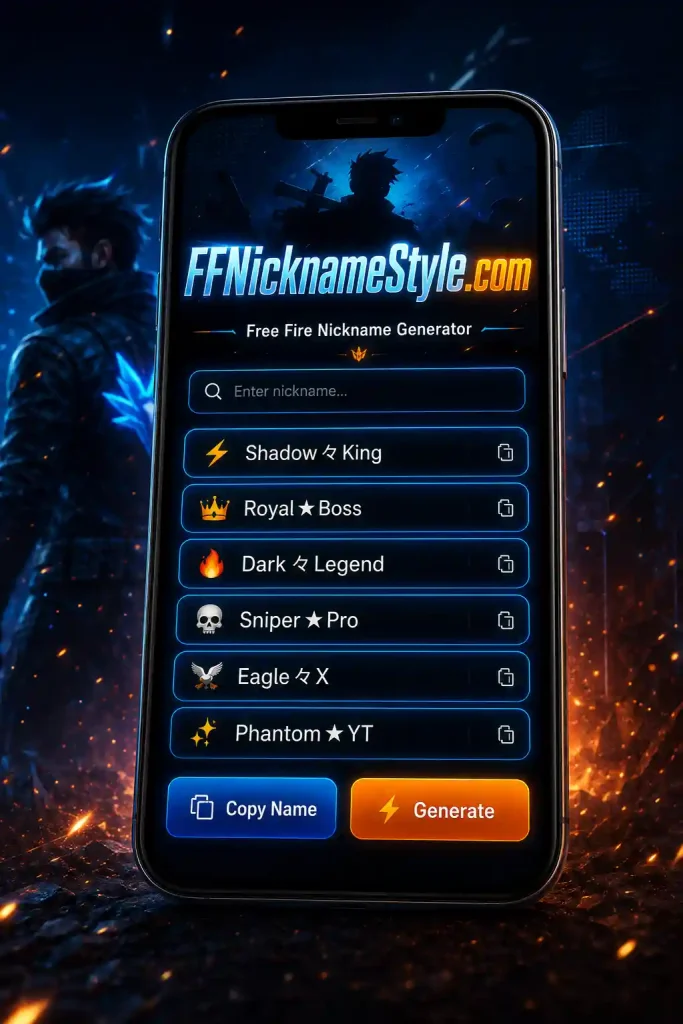
The Free Fire Stylish Name Generator lets you type a name and instantly preview multiple font styles and symbol combinations, so you can compare options side by side before picking one. Look for a generator that shows the live character count as you type, since that removes the guesswork around whether a name will actually fit the 12-character limit.
Checking If Your Nickname Is Already Taken
Free Fire doesn’t enforce unique nicknames the way some platforms do, so technically you can use the same name as another player without your account being blocked. That said, if you plan to stream, post clips, or build any kind of following under that name, it’s worth searching it online first. A quick search shows you whether another creator or public account is already using the same tag, which matters more for your personal brand than for the game itself.
Duo and Squad Matching Nickname Ideas
Matching names are an easy way to make a duo or squad instantly recognizable in the lobby. The simplest method is picking a shared prefix or suffix and pairing it with something personal for each player, for example:
- VenomX_Rider and VenomX_Ghost
- ShadowDuo.One and ShadowDuo.Two
- ClanRaptor_Ace and ClanRaptor_Fury
Keeping the shared piece short leaves more room for each player’s individual tag, which matters given the 12-character limit applies to every player’s name individually. Running a few combinations through the name generator makes it easy to check that every player’s version still fits.
Nicknames Inspired by Free Fire Characters
Basing a nickname on one of Free Fire’s own characters is a straightforward way to signal your favorite playstyle without needing extra symbols to make it interesting:
- AlokBeat
- ChronoRush
- KaraTheDiva
- MocoScan
- KshieldX
These work especially well if the character matches your actual in-game role, since teammates tend to connect the name to your playstyle quickly. For more themed options, browse the full Free Fire Stylish Names 2026 list.
Free Fire MAX vs Classic: Nickname Display Differences
Free Fire and Free Fire MAX run on the same account, so your nickname stays identical across both apps; there’s no separate name field to manage. The main difference is visual rather than functional. Free Fire MAX renders sharper graphics and a larger UI, so heavily symbol-stacked names can look slightly clearer or more spaced out on MAX than on the standard app, even though the underlying 12-character rule and symbol weighting are exactly the same in both.
Nicknames for Streamers and Content Creators
If you’re building a channel around your gameplay, your Free Fire nickname doubles as a piece of your brand, so it’s worth treating it a little differently than a casual in-game tag. Keeping it consistent with your YouTube, TikTok, or Instagram handle makes you easier to find across platforms. Avoiding heavy symbol stacking also helps here, since a name that’s hard to type is a name viewers can’t easily search for later. It’s also worth steering clear of anything close to an existing brand or trademarked term, both to avoid confusion and to stay clear of potential takedown issues down the line.
Regional and Language-Specific Nicknames
Free Fire’s player base spans dozens of countries, and a name tied to your own language often feels more personal than a generic English one.
Urdu & Hindi Names
- ShahzadaX
- SherDil
- RajaHunter
- NoorBaaz
- BijliRani
Arabic Names
- AsadKing
- FarisX
- QamarStrike
- ShaheenFury
- NoorAlLayl
Indonesian & Malay Names
- RajaKill
- HarimauX
- SantuyGaming
- BintangMalam
- GarudaFury
Spanish Names
- ElPro
- LaLeyenda
- FuegoX
- SombraVeloz
- CazadorReal
Brazilian Portuguese Names
- MitoDasPatentes
- X1ComNois
- FuriaX
- ReiDoJogo
- CacadorPro
How to Create Your Own Unique Nickname
- List a few words that describe your playstyle or personality, sniper, shadow, blaze, whatever comes naturally.
- Combine two short words rather than one long one; punchy combinations like ShadowStrike or BlazeFang fit the character limit more comfortably.
- Say the name out loud. If it’s awkward to say or hard to read quickly, simplify it.
- Add one small personal touch, a symbol, a number that means something, or a slight spelling twist.
- Preview the name in the generator or the in-game field to confirm it fits before spending diamonds.
Common Mistakes to Avoid
- Overloading symbols, which eats your character limit and makes the name harder to read in a fast-paced kill feed.
- Using unsupported or banned characters, since some symbols render fine on one device and show up as blank boxes on another.
- Copying an active player’s or streamer’s name exactly, which invites confusion rather than recognition.
- Ignoring regional context, since a name that sounds cool in English can fall flat on a server where local slang carries more weight.
- Skipping the preview step, then losing diamonds on a name that gets rejected for exceeding the character limit.
How to Fix Nickname Errors (Not Saving / Already Taken)
If your nickname won’t save, the cause is almost always one of three things. First, check the character count. Remember that symbols and combined characters can count for more than one character each, so a name that looks short may still be over the limit. Second, check for blocked words or disguised spellings, since Garena’s filter is stricter than most players expect. Third, if the name saves as asterisks, that’s the filter blocking a specific word or character combination rather than a bug, so swapping that piece out usually resolves it. Free Fire doesn’t restrict duplicate names, so “already taken” isn’t actually a rejection reason here, unlike in games that enforce unique usernames. Running the name through the generator first is the quickest way to catch a character-count problem before it happens.
Frequently Asked Questions
How do I change my Free Fire nickname?
Open your profile, tap the edit icon next to your current name, and enter the new one. You’ll need a Name Change Card, which typically costs around 390 diamonds in the in-game shop if you don’t already have a free one from an event.
What is the maximum character limit for a Free Fire nickname?
The limit is 12 characters, including letters, numbers, spaces, and symbols. Some decorative symbols count as more than one character, so it’s worth testing the name in the preview screen before finalizing it.
Can I use special symbols in my Free Fire name?
Yes. Stars, crowns, hearts, and simple arrows are generally safe and render consistently. Heavier or less common symbols are more likely to display incorrectly on some devices, so keep it to one or two per name.
Why does my nickname show as asterisks or get rejected?
This happens when the name triggers Garena’s profanity or spam filter, which blocks offensive words, disguised spellings, and impersonation attempts. Trying a different word or symbol combination usually resolves it.
How can I get nickname ideas for Free Fire?
Browsing categorized name lists is a solid starting point, but the Free Fire Stylish Name Generator is faster if you already have a base word in mind and want to see font styles or symbol pairings instantly.
Is the Free Fire name generator free to use?
Yes, name generators like the one on ffnicknamestyle.com are free. The only cost involved is the in-game Name Change Card needed to actually apply the new name to your account.
Conclusion
A good Free Fire nickname doesn’t need to be complicated. It needs to be readable, personal, and easy to recognize whether it shows up in the kill feed, a clip, or a squad chat months from now. Start with a style that fits your playstyle, keep the symbols light, and test it before you commit. The rest comes down to picking something that actually feels like you.